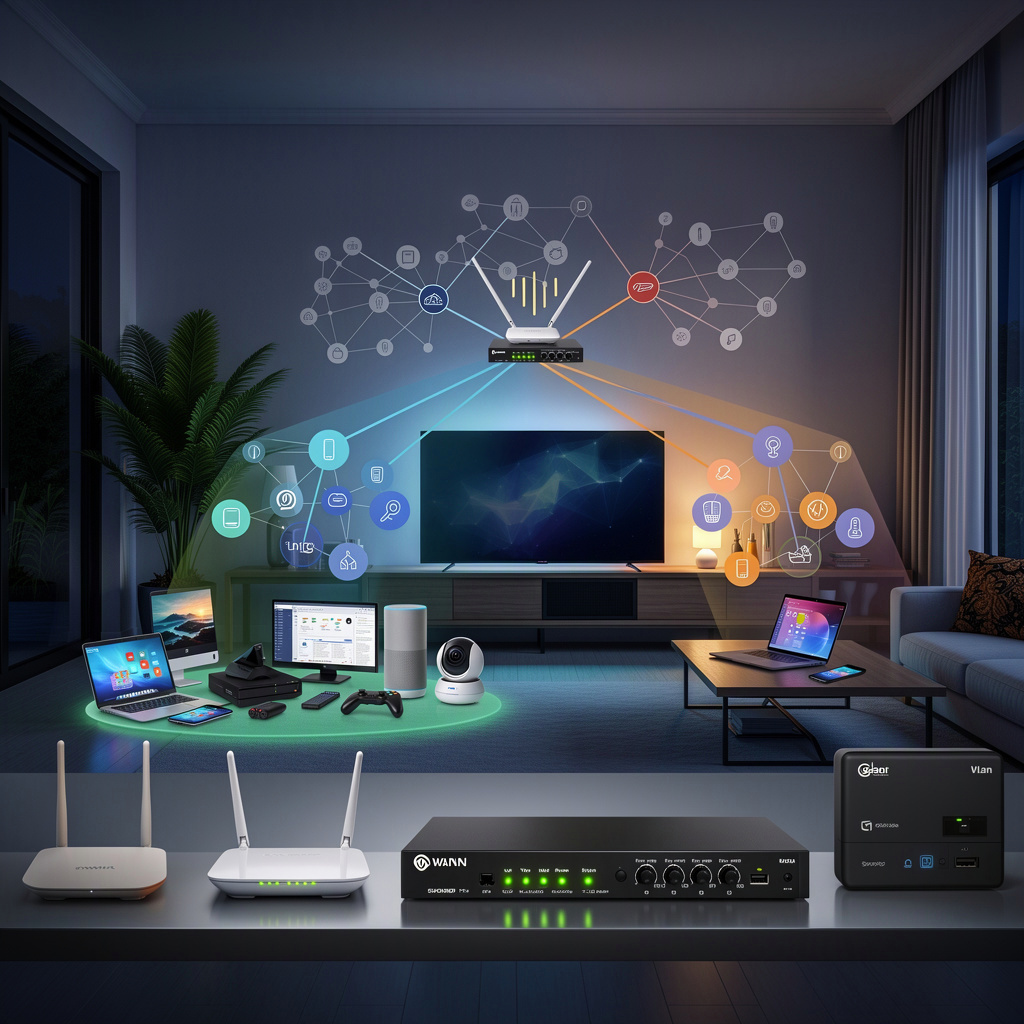
Home networks today contain far more than just laptops and phones. There are security cameras, smart TVs, speakers, automation devices, game consoles, and guests’ devices. Putting everything on a single network can make management and access control more difficult. Virtual LAN (VLAN) allows a local network to be divided into multiple logical segments even when devices share the same physical infrastructure.
VLANs help organize networks and limit communication between device groups. However, creating VLANs alone does not automatically make a network secure. Segmentation must be accompanied by proper router, switch, access point, and firewall rule configuration. Here is an explanation and examples of how to apply it at home.
What Is a VLAN?
A VLAN is a method of splitting one Ethernet network into multiple separate logical networks. Devices on different VLANs cannot automatically communicate directly at the local network layer. If cross-segment communication is needed, traffic typically must pass through a router or Layer 3 device that can enforce access policies.
For example, a personal computer and a Wi-Fi camera can connect to the same physical switch but be placed on different VLANs. With proper configuration, the camera can access required services without being given free access to computers or personal storage. This separation is known as network segmentation.
Why Are VLANs Useful at Home?
- Separating IoT devices. Smart TVs, cameras, and automation devices can be placed in their own segment so access to personal devices is more restricted.
- Creating a guest network. Visitors can use the internet without gaining access to printers, NAS devices, or home network administration equipment.
- Reducing incident impact. If one device has issues, inter-VLAN rules can help limit its communication paths to other segments.
- Organizing management. Each segment can have different IP address ranges, access rules, and monitoring requirements.
VLANs are most beneficial when the network owner actually needs clear access boundaries. For simple networks with few devices, a router’s built-in guest network feature may be sufficient. VLANs become more relevant when routers, switches, and access points support consistent segmentation configuration.
Basic Terms to Understand
A VLAN ID is a number that identifies a VLAN on network devices. Access ports typically carry traffic for one VLAN without VLAN tagging on end devices, while trunk ports can carry traffic from multiple VLANs with tagging, commonly using IEEE 802.1Q. Terminology and interface settings may vary by device manufacturer.
Each VLAN that needs to use IP networking is usually assigned its own subnet—for example, one subnet for personal devices and another for IoT devices. A router or Layer 3 switch provides a gateway if communication outside the subnet is needed. This is where firewall rules or ACLs determine which traffic is allowed to pass.
Example VLAN Setup for a Home
The following plan is just an example; VLAN numbers and IP addresses can be adjusted to fit your existing network. Ensure the chosen subnets do not conflict with other networks or VPNs you use.
| Segment | Example VLAN ID | Devices | Initial Policy |
|---|---|---|---|
| Personal | 10 | Laptops, phones, PCs | Internet access and required home services |
| IoT | 20 | Cameras, smart TVs, automation devices | Limit access to personal network; allow only required services |
| Guest | 30 | Visitors’ phones and laptops | Internet only, no access to internal segments |
| Management | 99 | Switch and access point administration interfaces | Access only from trusted administrator devices |
These numbers are not mandatory standards. What matters is clear documentation and access rules that fit your needs. Do not assume a management VLAN is secure simply because it uses a different number; restrict who can access it through firewall rules and strong administrator credentials.
General Steps to Set Up VLANs
- Check device support. Ensure your router supports VLANs and inter-subnet rules, your switch supports 802.1Q VLANs if needed, and your access points can map SSIDs to appropriate VLANs. Some consumer routers only offer simple guest networks.
- Map out your network design. Record VLAN IDs, subnets, gateways, switch ports, SSID names, and which devices will go into each segment. Save a copy of your current configuration before making changes.
- Create VLANs and IP networks. Add VLANs on relevant devices, then set up gateways and separate DHCP scopes for each segment that needs automatic IP addressing.
- Configure ports and Wi-Fi. Designate access ports for regular devices and trunk ports for inter-device connections carrying multiple VLANs. If using multiple SSIDs, map each SSID to the correct VLAN. Do not enable trunking on end device ports unless specifically required.
- Apply firewall rules. Start by denying unnecessary cross-segment communication, then create specific exceptions. For example, allow an administrator’s phone to access a camera interface if needed, but do not open the entire personal network to all IoT devices.
- Test from each segment. Verify that devices receive correct IP addresses and gateways, can access the internet according to policy, and cannot reach segments that should be isolated. Also test features that rely on multicast or device discovery, as some smart home services require additional configuration.
Common Mistakes to Avoid
- Thinking VLAN equals firewall. VLANs separate segments, but routing rules may still allow communication. Explicitly check inter-subnet policies.
- Forgetting to configure all paths. Trunk ports, access points, additional switches, and gateways must use consistent configuration. One misconfigured port can place devices in the wrong segment.
- Breaking required services. Printers, casting, or home automation may need cross-VLAN communication. Open only the required services, not full access.
- Not saving backup configurations. Incorrect changes can cut off administrative access. Prepare a local recovery path and make changes gradually.
Conclusion
VLANs help divide home networks into segments for personal devices, IoT, guests, and administration. Security benefits emerge when segmentation is combined with strict firewall rules, consistent device configuration, and testing from every segment. Start from actual needs, document your design, and change one part at a time. If your devices do not yet support VLANs, a separate guest network can still serve as a simpler first step.
Komentar (0)
Belum ada komentar. Jadilah yang pertama berkomentar.